
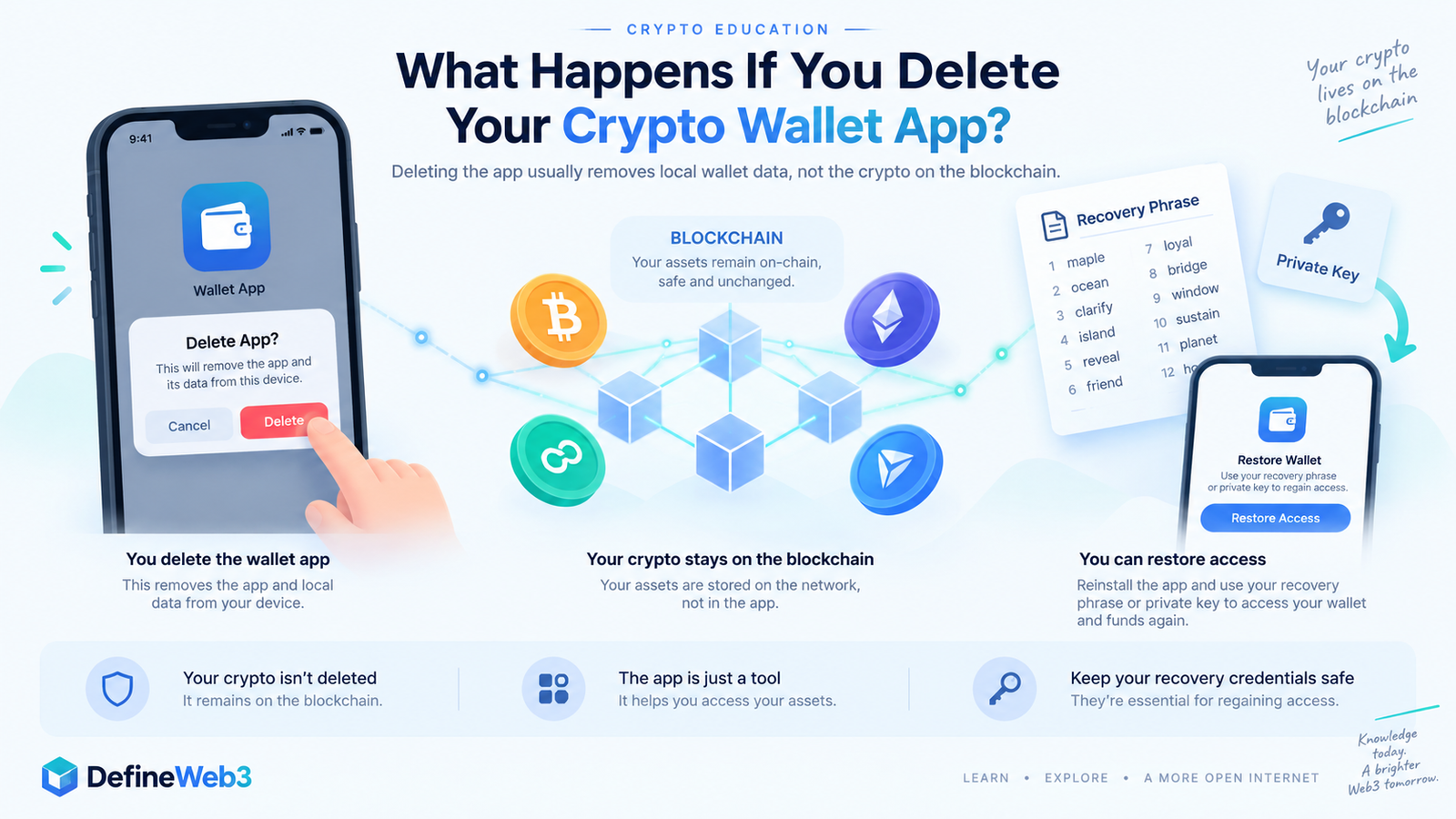
Deleting a crypto wallet app usually does not delete the cryptocurrency associated with your wallet.
For a self-custody wallet, your crypto transactions and balances are recorded on the blockchain, not stored inside the app itself. Uninstalling the application generally removes the wallet software and locally stored wallet data from your device.
The important question is whether you still have a valid way to recover access to the wallet.
For many self-custody wallets, that means having your recovery phrase, private keys, or another supported backup method.
If you delete the app without having the information needed to restore the wallet, the crypto may still exist on the blockchain while you permanently lose the ability to access it.
Does Deleting a Wallet App Delete Your Crypto?
Usually, no.
Think of a crypto wallet app as an interface that lets you interact with blockchain addresses controlled by your cryptographic keys.
Removing that interface from your phone does not instruct Bitcoin, Ethereum, Solana or another blockchain to remove your address or erase its transaction history.
For example, Exodus states that deleting a wallet from a device removes locally stored wallet data but does not remove the funds associated with the addresses from the blockchain.
This is closely related to why a crypto wallet can receive funds while it is offline: the blockchain continues operating whether or not your particular wallet application is currently running.
So:
Delete app → local application/data may disappear
But:
Delete app ≠ blockchain balance disappears
That distinction is extremely important.
What Actually Gets Deleted When You Uninstall a Wallet?
The exact behavior depends on the wallet and operating system.
Deleting an application may remove local information such as:
- encrypted wallet data
- locally stored private-key material
- wallet settings
- custom networks
- locally added tokens
- account labels
- transaction display preferences
The blockchain itself remains unchanged.
MetaMask, for example, warns that uninstalling its app or browser extension will likely remove locally stored wallet data. Users can normally restore accounts associated with the same Secret Recovery Phrase afterward.
However, not everything that appeared in the old installation is necessarily restored automatically.
That is one reason you should understand how your particular wallet is backed up before deleting it.
Can You Recover a Crypto Wallet After Deleting the App?
In many cases, yes.
For a typical self-custody wallet, the process is generally:
- Reinstall the wallet from its official source.
- Choose the wallet’s restore or import option.
- Use the recovery method associated with the original wallet.
- Allow the application to reconnect to the relevant blockchain networks.
- Re-add any networks, accounts or tokens that are not restored automatically.
For wallets based on a recovery phrase, the same phrase can derive the keys controlling the original blockchain accounts.
Uniswap states that users who delete its wallet app need their recovery phrase to restore their wallet. Kraken similarly warns that after uninstalling Kraken Wallet, the recovery phrase may be required to regain access.
Never enter a recovery phrase into a random website, form, support chat or message sent to you by someone claiming they can recover your wallet.
What If You Delete the App Without Your Recovery Phrase?
This is where deleting a self-custody wallet app can become dangerous.
The funds do not suddenly disappear from the blockchain.
Instead, you may lose the keys needed to control them.
If the deleted installation contained the only usable copy of your keys and you have no recovery phrase, private-key backup or supported recovery method, you may be unable to regain access.
There is generally no traditional “Forgot password?” system that can recreate an unknown private key for a truly self-custodial wallet.
Blockstream, for example, warns that if the wallet installation becomes unavailable and the user also lacks the recovery phrase, the wallet may not be recoverable.
That is why backing up the wallet’s recovery method should happen before uninstalling or resetting the application.
What If You Reinstall the App and Your Balance Shows Zero?
A zero balance immediately after restoration does not always mean your crypto is gone.
Several things may need to be restored or configured again, including:
- additional wallet accounts
- custom blockchain networks
- manually imported accounts
- particular token contracts
- hardware-wallet connections
- accounts originally imported with separate private keys
MetaMask specifically notes that accounts imported through private keys, JSON files or separate recovery phrases may need to be manually added again after restoring the primary wallet.
So if the wallet restores successfully but something appears to be missing, first verify that you restored the correct wallet and all relevant accounts before assuming the blockchain assets were lost.
Is Deleting the Wallet App the Same as Deleting Your Wallet?
Not necessarily.
These terms are often used interchangeably, but they can mean different things.
Uninstalling the app removes wallet software from your device.
Removing a wallet from an app may delete that wallet’s local keys or account information from the application.
Deleting an account with a custodial service or exchange can be a completely different process.
For example, Blockchain.com explains that deleting an account can remove access through its platform, even though assets associated with a non-custodial wallet may still be recoverable elsewhere using the appropriate recovery phrase.
Always identify whether you’re using:
A self-custody wallet
You control the cryptographic keys.
or
A custodial account
A company manages custody and account access.
Deleting either one can have very different consequences.
Can Someone Still Send Crypto to a Deleted Wallet App?
For a valid on-chain address, deleting the application itself generally does not invalidate the blockchain address.
Someone who already has the address could therefore still send an on-chain transaction to it.
The real issue is whether you can restore the keys needed to control that address afterward.
This is another reason deleting an app should never be treated as a way to “delete” a blockchain address.
Public blockchain history normally remains on-chain regardless of whether you continue using the wallet software.
What Should You Check Before Deleting a Crypto Wallet App?
Before uninstalling a self-custody wallet, verify:
You understand the wallet’s recovery method.
Different wallets may use different backup or login systems.
Your recovery information actually belongs to this wallet.
Do not assume an old recovery phrase is necessarily the correct one.
Imported accounts are backed up separately when required.
A primary recovery phrase may not restore accounts imported with separate private keys.
You are downloading replacement wallet software from the official source.
Most importantly, never share recovery phrases or private keys with anyone offering support or wallet recovery.
Anyone who obtains those credentials may be able to control the corresponding wallet.
Frequently Asked Questions
Will I lose my crypto if I uninstall my wallet?
Usually not. For a self-custody wallet, the blockchain still records the assets. However, you can lose access if you delete the wallet without retaining the recovery information needed to restore it.
Can I reinstall my crypto wallet?
Usually yes. Most wallet applications can be installed again and an existing wallet restored using their supported recovery method.
Does deleting MetaMask delete my crypto?
Deleting MetaMask does not erase blockchain accounts or transactions. MetaMask says users can restore their wallet using the appropriate Secret Recovery Phrase or another supported login method.
Can I recover my wallet without a seed phrase?
It depends on the wallet and how it was configured. Some wallets now support alternative encrypted backup or account-login systems, while traditional self-custody wallets may require a recovery phrase or another form of private-key backup.
If no valid recovery method remains, recovery may be impossible.
Can I delete a crypto wallet permanently?
You can remove wallet software and local key data, but you generally cannot erase an existing blockchain address or its historical transactions from a public blockchain simply by deleting an app. Kraken explicitly notes that blockchain wallet accounts cannot simply be permanently deleted from the blockchain.
Final Takeaway
Deleting a crypto wallet app and deleting your crypto are not the same thing.
For most self-custody wallets, uninstalling the application removes software and potentially local wallet data from your device, while the blockchain continues to record the addresses, balances and transaction history associated with the wallet.
What matters is whether you retain the credentials required to regain control.
If you have the appropriate recovery phrase, private key or supported backup method, you can usually reinstall compatible wallet software and restore access.
If you delete the only copy of the keys without a valid backup, the crypto may remain visible on the blockchain while becoming inaccessible to you.